If you’ve ever asked an AI to help — and then ended up doing the job yourself — you’re not alone. That’s where Claude Coworker comes in. This new AI tool from Anthropic doesn’t just chatter back at you… it actually rolls up its virtual sleeves and gets stuff done.
What Is Claude Coworker — The “Cowork” AI Assistant? 🤖
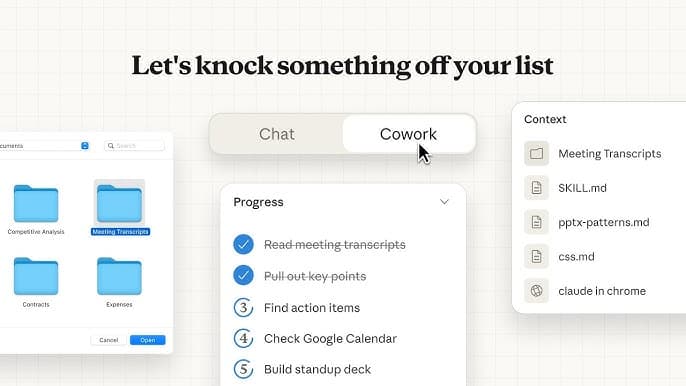
In simple terms, Claude Coworker (often called “Cowork”) is an AI agent built into the Claude AI platform that can work directly on real files and tasks on your computer. You give it a folder, describe what you want done in normal language (no coding!), and Claude tackles the task.
Instead of just responding to your questions, it can:
- Read, modify, and create files you allow it to access.
- Organize messy folders without you typing 100 commands.
- Generate structured documents or spreadsheets from your cluttered data.
- Draft reports from scattered notes like a virtual intern that never takes a lunch break.
In other words — it’s like an assistant that actually works instead of just nodding politely. 😄
How It Works: AI That Does Something 📁
Unlike a regular chat AI that just answers when you ask a question, Claude Coworker is designed to take action:
- You pick a folder on your Mac (only macOS for now).
- Claude gets access to read/edit files in that folder — only the ones you choose.
- You describe the task in plain language (“Organize my October receipts,” for example).
- Claude makes a plan and executes it, updating you as it goes.
That means you could literally delegate the messy parts of your job instead of wrestling with them yourself.
What Coworker Can Actually Do (No Magic Required)
Here are some realistic examples of what Claude Coworker can handle without you needing coding skills:
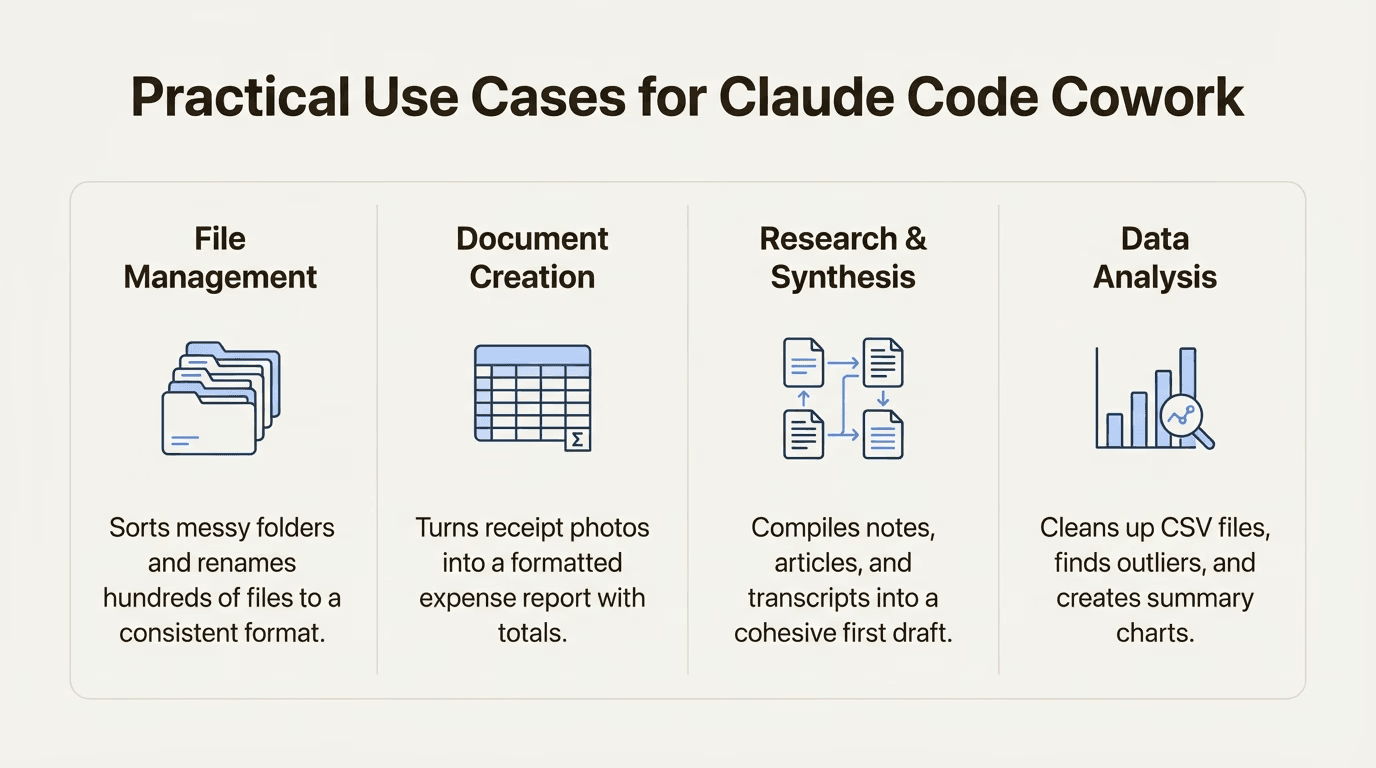
✅ Sort and rename a messy downloads folder
✅ Extract data from screenshots into a spreadsheet
✅ Draft a first version of a report from assorted notes
✅ Build a structured document based on your instructions
Think of it as your digital admin assistant — but one that doesn’t take vacations, coffee breaks, or mysteriously disappear before deadlines. 😅
Built by AI (Yes, Really) 🔧
One of the most fascinating bits about Claude Coworker is how fast it came together: it was reportedly developed in under two weeks, with Claude’s own coding assistant tool (Claude Code) doing much of the heavy lifting under human supervision.
That’s a bit like having someone teach their apprentice how to build your house — and then the apprentice builds half of it while you barely notice. Except the apprentice is AI, and it doesn’t drink all your tea.
Why This Is a Big Shift (And Not Just AI Buzz)
Tools like Copilot and other assistants have been around — but they mostly help within apps or by giving suggestions. Claude Coworker is different because it’s built to interact with your own workspace and complete tasks autonomously rather than waiting for every prompt.
And while you might still need to review important work, delegating the dull parts of your workflow feels a lot like having an assistant who knows what you mean… even when you’re vague about it. (We’ve all said things like, “Clean up that mess, okay?” — and Claude can handle that kind of messy human request.) 😂
A Friendly Word: Be Precise with Your Instructions ⚠️
With great AI comes great… responsibility. 😉
Because Cowork can edit or delete files, it’s essential to:
- Grant access only to specific folders
- Give clear, precise instructions
- Double-check before letting Claude remove or overwrite anything important
In tech terms, this is called sandboxing — meaning Claude can only touch what you explicitly allow. In human terms: “Don’t give the intern the master key if they can’t find the bathroom.” 😄
Who Can Use It — Right Now
Claude Coworker is currently:
- Available as a research preview
- Accessible only through the Claude Desktop app on macOS
- Available to Claude Max subscribers (the premium tier)
So if you’re still on Windows or just using the regular Claude chat, you might need to wait — or consider subscribing if this kind of productivity boost sounds worth it.
Final Thoughts: AI That Acts 🤔
Claude Coworker isn’t just a fancy chatbot anymore — it’s an AI that:
- Understands your instructions
- Takes action in your workspace
- Keeps you in the loop while getting things done
It feels like a real coworker who doesn’t steal your snacks and shows up on time. And while it’s still early days, tools like this are pointing toward a future where AI doesn’t just suggest solutions — it executes them.
Whether you’re tired of manual file organization, wish your receipts could magically turn into spreadsheets, or just want a break from repetitive admin work, Claude Coworker is a glimpse of AI that works with you — not just talks to you.